// Apps from Inverted Hex
 Not Bad Yet
Track food. Waste less.
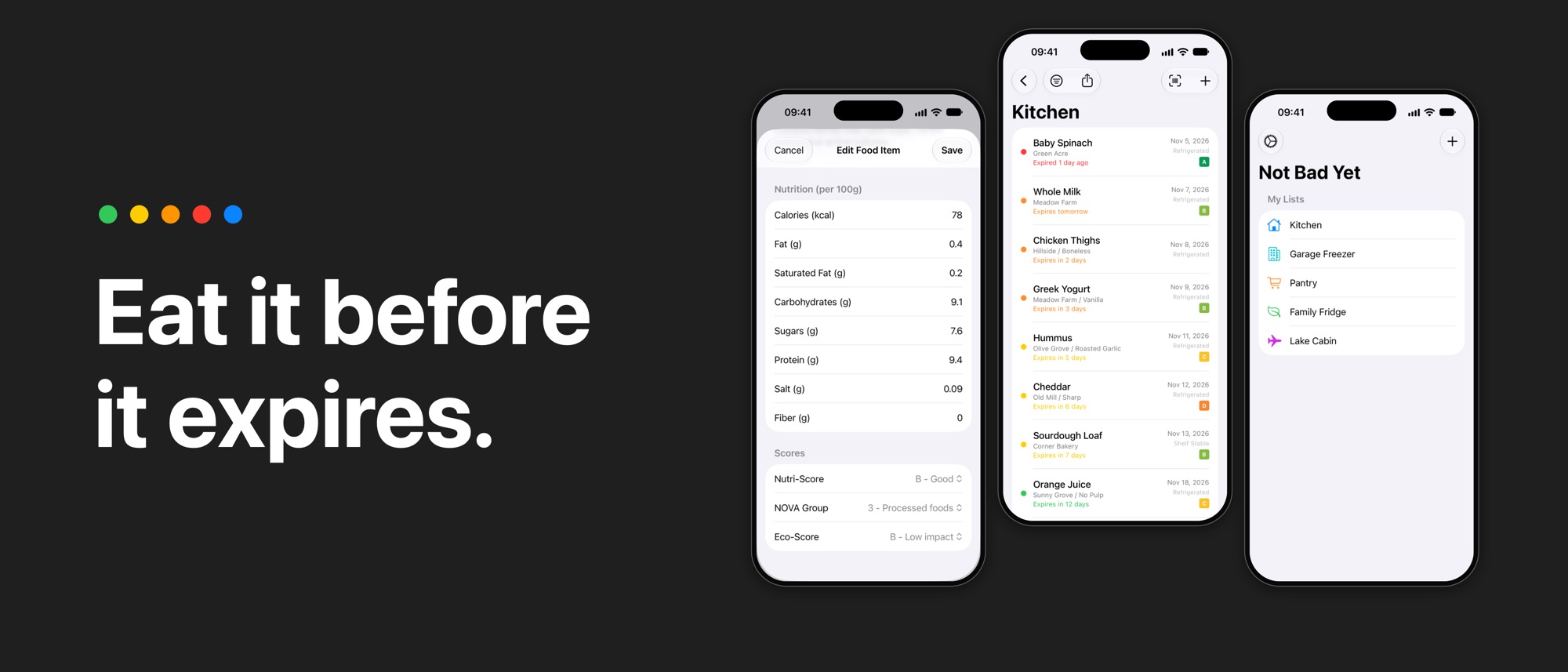
Stop throwing away food you forgot you had. Not Bad Yet tracks the food in your fridge, freezer, and pantry, and tells you what to eat first.
Coming soon to the App Store// How it works
Three steps to less waste
- 0x01
Scan a barcode
Point your camera at the barcode. The app finds the product and fills in the name, brand, and nutrition data.
- 0x02
Set a date
Enter the expiration date. You can also keep a separate best-by date.
- 0x03
Get an alert
The app alerts you before the food expires, at the time that you select.
// Freshness
Know what to eat first
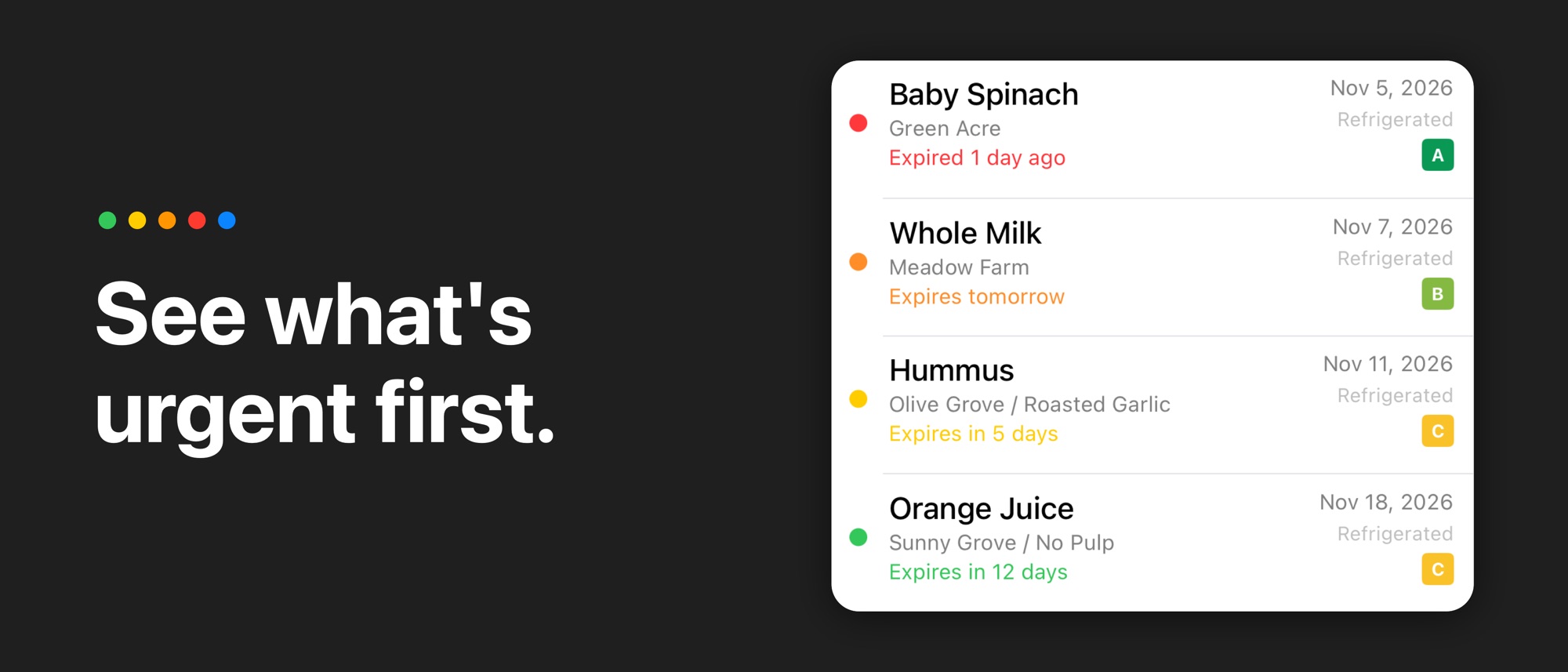
A colored dot on each item shows the time that remains.
- More than 7 days
- 4 to 7 days
- 0 to 3 days
- Expired
// Features
Everything your kitchen needs
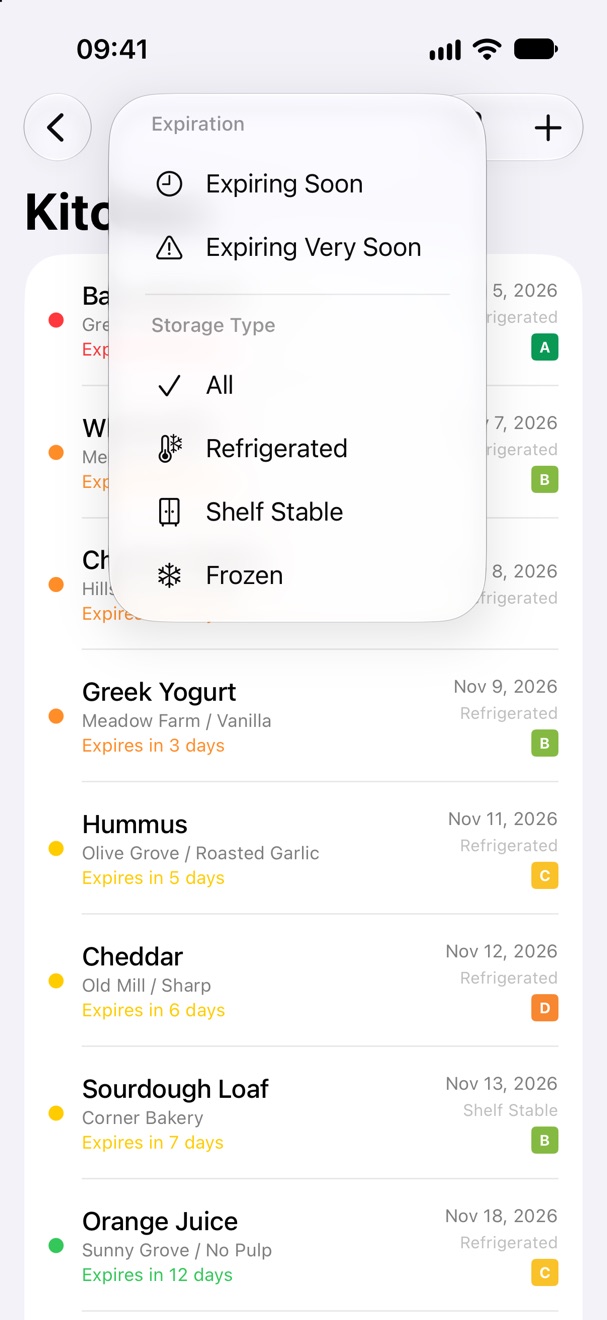
Filters
Find what needs attention.
Filter a list by Expiring Soon or Expiring Very Soon. You can also filter by storage type: Refrigerated, Shelf Stable, or Frozen.
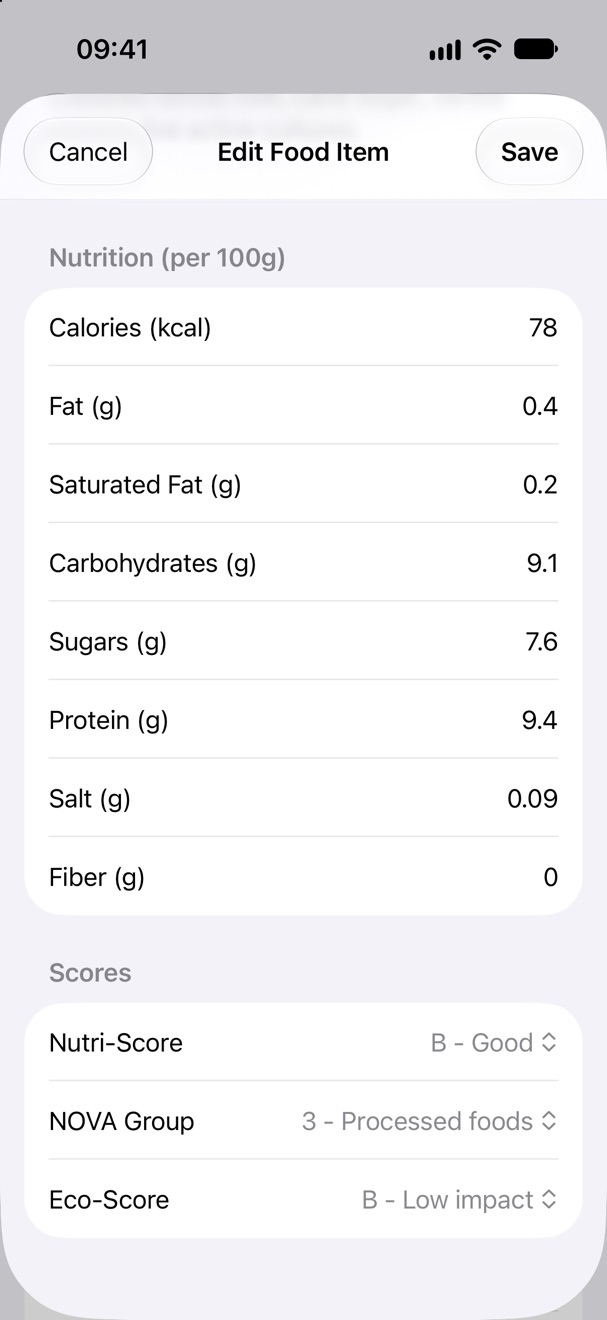
Barcode scan
Scan a barcode. The rest fills in.
The app gets the product data from Open Food Facts: ingredients, allergens, nutrition per 100 g, Nutri-Score, NOVA group, and Eco-Score. The next scan of the same product needs no network.
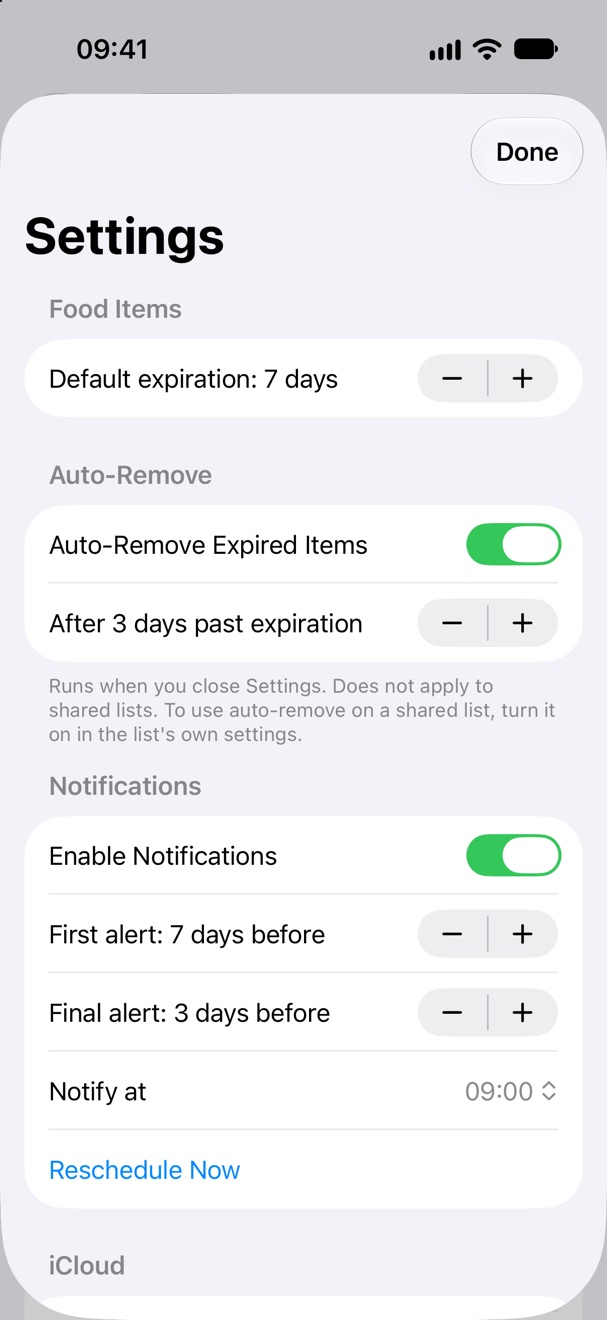
Alerts
Alerts on your schedule.
Each item gets two alerts: a first alert and a final alert. You select how many days before the expiration date they come, and the time of day.
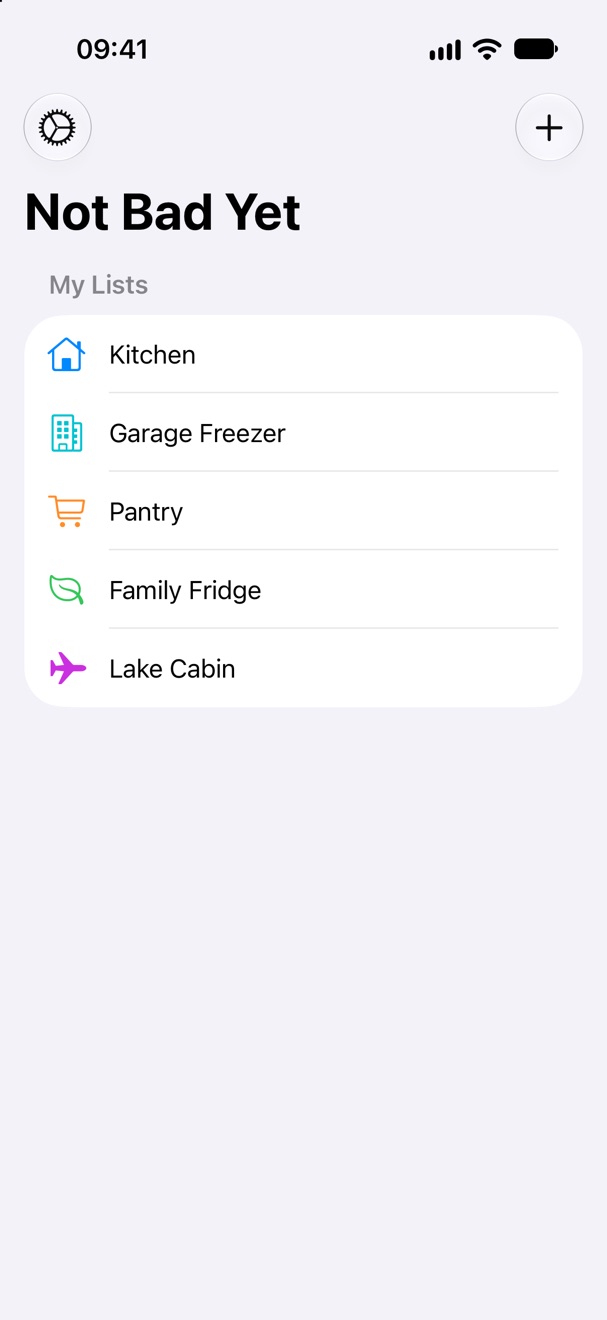
Lists
A list for every place. Share it with your household.
Keep separate lists for the kitchen, the garage freezer, or the lake cabin. Share a list with other iCloud users, and give each member read-write or read-only permission. Start a share on iPhone or iPad. A Mac can accept an invitation.
// And more
Small things that help
iCloud sync
Your lists sync across your devices. The app continues to work when you are offline.
Auto-remove
The app can delete an item a set number of days after it expires. This setting is off by default.
Backup
Export all your lists and items to one file. Import the file again at any time.
Private by design
No accounts, no ads, no subscriptions, and no third-party analytics.
// At a glance
The details
- StatusComing soon to the App Store
- DevicesiPhone, iPad, and Mac
- RequiresiOS 26.6, iPadOS 26.6, or macOS 26.6, or later
- SynciCloud. The app has no account of its own.
- BarcodesEAN-8, EAN-13, and UPC-E
- Product dataOpen Food Facts. The app sends lookups over HTTPS.
// Support
Contact us
Do you have a question, a problem, or an idea for the app? Send an email to the address below. Use this subject line:
- Tocontact@invertedhex.com
- Subject
NotBadYet
For a sync problem, open Settings in the app and tap Copy Sync Details. Paste the report into your email. The report does not include your lists or items.
- The screens show demo data.
- Not Bad Yet shows the dates that you enter. It does not test food. Use your own judgment before you eat a food.
- Product data comes from Open Food Facts and can contain errors. Always read the label for allergens.
- Inverted Hex, LLC is not affiliated with Open Food Facts.
- iPhone, iPad, Mac, iCloud, and App Store are trademarks of Apple Inc.